How to Export WhatsApp Group Chats for Record Keeping
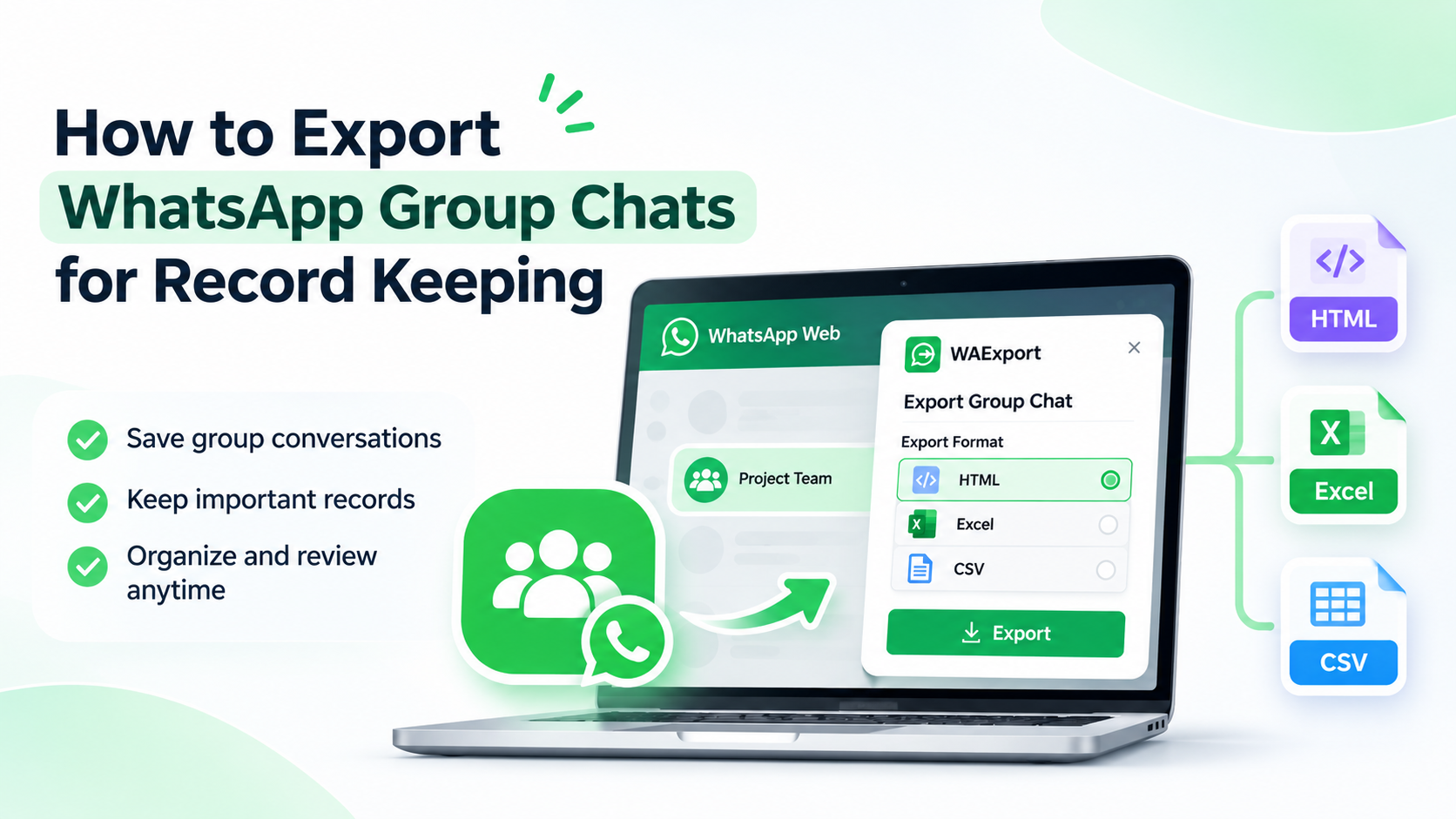
WhatsApp groups are widely used for team communication, customer support, project coordination, and business discussions. Over time, these conversations can contain hundreds or thousands of messages, including important decisions, shared documents, and project updates.
However, finding older information in an active group chat isn't always convenient. Messages become buried under new conversations, and manually copying important discussions can be time-consuming.
Exporting WhatsApp group chats provides a practical way to preserve conversations, organize historical records, and access important information outside WhatsApp.
For users who regularly manage conversations through WhatsApp Web, a WhatsApp chat exporter such as WAExport can help save group conversations to a computer in HTML, Excel, or CSV formats.
Disclosure: WAExport is a product associated with the author.
Why Export WhatsApp Group Chats?
There are several situations where keeping an independent record of group conversations can be useful.
1. Business Communication Records
Businesses often use WhatsApp groups to communicate with customers, suppliers, and internal teams.
Exporting these conversations can help preserve order details, delivery discussions, customer requests, and project decisions for future reference.
2. Project Documentation
Project groups frequently contain task assignments, deadlines, progress updates, and important decisions.
Instead of searching through months of messages, team members can review exported conversations to understand how a project developed.
3. Offline Access
WhatsApp Web normally requires an active connection to your WhatsApp account.
An exported chat archive can be opened separately, allowing users to review saved conversations without returning to the original group.
4. Data Organization
Exported conversations can be organized by project, customer, date, or department.
This makes it easier to maintain consistent records, especially when managing multiple WhatsApp groups.
Method 1: Export WhatsApp Group Chats Using the Official Feature
WhatsApp provides a built-in chat export feature in its mobile applications.
To export a group conversation:
- Open WhatsApp on your phone.
- Select the group conversation you want to save.
- Open the group information or chat options.
- Find the Export Chat option.
- Choose whether to include media, if available.
- Save or share the exported file using an available destination.
The exact menu location may vary depending on your device and WhatsApp version.
This method is useful for occasional exports of individual conversations.
However, WhatsApp's built-in export feature has limitations. Exported message counts may be restricted, and the resulting archive is not intended to restore conversations directly into WhatsApp.
If you need to export multiple groups or work primarily from your computer, a browser-based approach may be more convenient.
Method 2: Export WhatsApp Group Chats from WhatsApp Web
For users who manage group conversations on a computer, WAExport offers another approach through a Chrome extension.
It works with WhatsApp Web and supports exporting conversations in different file formats.
Step 1: Open WhatsApp Web
Open Google Chrome and visit WhatsApp Web.
Sign in to your WhatsApp account and wait for your conversations to load.
Step 2: Launch WAExport
Open the WAExport Chrome extension while using WhatsApp Web.
The extension provides options for selecting conversations and configuring export settings.
Step 3: Select Your WhatsApp Groups
Choose the group conversations you want to export.
You can select an individual group or multiple conversations, depending on your record-keeping requirements.
For example, a business might export separate groups for customer communication, internal coordination, and supplier discussions.
Step 4: Choose an Export Format
WAExport supports three formats:
- HTML: Suitable for reading conversations in a web browser.
- Excel: Useful for organizing messages in a spreadsheet.
- CSV: Convenient for structured data processing and analysis.
Choose the format that best matches how you intend to use the records.
Step 5: Configure Export Settings
If you only need messages from a particular period, select a date range.
WAExport also provides Safe Mode and Quick Export options.
The appropriate mode depends on your export requirements and the amount of conversation history involved.
Step 6: Download and Verify Your Files
Start the export and save the resulting files to your computer.
After downloading, open the files and check whether the expected conversations and date ranges are present.
For important records, verify the exported content before relying on it as an archive.
HTML vs Excel vs CSV: Which Format Should You Choose?
Different export formats serve different record-keeping purposes.
| Format | Best For | Main Advantage |
|---|---|---|
| HTML | Offline reading and conversation review | Browser-friendly presentation |
| Excel | Business records and spreadsheet organization | Easy sorting and filtering |
| CSV | Data analysis and processing | Structured, widely compatible data |
HTML for Conversation Archives
HTML is a practical choice when your main goal is to preserve conversations in a readable format.
You can open an exported HTML file in a browser and review messages without accessing WhatsApp.
Excel for Business Records
Excel is useful when you need to organize exported messages, review timestamps, or work with conversation data in a spreadsheet.
For example, teams can use spreadsheets to review communication patterns or locate discussions from specific periods.
CSV for Data Processing
CSV files are particularly useful when exported messages need to be processed with tools such as Python, spreadsheets, or other data analysis software.
This format is generally preferable when you want to build a structured workflow around conversation data.
Best Practices for Organizing WhatsApp Group Chat Records
Exporting conversations is only the first step. A consistent file organization system makes the records more useful over time.
Use Clear File Names
Choose descriptive names that identify the group and export date.
For example:
customer-support-group-2026-11.csv
project-updates-2026-11.html
This makes it easier to identify records without opening every file.
Organize Files into Folders
Create separate folders for different teams, customers, or projects.
A simple structure might look like this:
WhatsApp-Archives/
├── Customer-Support/
│   ├── October-2026.csv
│   └── November-2026.csv
├── Project-Updates/
│   └── November-2026.html
└── Supplier-Communication/
    └── November-2026.xlsx
Keep Media Files Together
If your exported archive includes images, videos, audio messages, or documents, keep the associated files in their original folder structure.
Moving an HTML file away from its related media folder may break attachment references.
WAExport requires its Max plan for media exports.
Protect Sensitive Conversations
WhatsApp group conversations may contain personal information, customer details, or confidential business discussions.
Store exported files securely, restrict access to authorized users, and follow applicable privacy and data-retention requirements.
An exported file is a separate copy of the conversation and should be protected accordingly.
Important Limitations to Understand
Before exporting WhatsApp group chats, keep these limitations in mind:
- Exported files are intended for reading, organization, or analysis, not for restoring chats into WhatsApp.
- Exporting a conversation does not recover previously deleted messages.
- Large conversations may require additional time to export.
- Media availability depends on the selected export method and plan.
- The exported record should be checked for completeness before being used for important documentation.
For legal, regulatory, or formal compliance purposes, a basic chat export may not satisfy requirements for authenticity, completeness, retention, or chain of custody.
Final Thoughts
WhatsApp group chats often contain valuable information that becomes difficult to locate as conversations grow.
Exporting group conversations makes it easier to preserve communication history, review project discussions, and organize business records.
For occasional exports, WhatsApp's built-in feature may be sufficient. For users who work with WhatsApp Web and need HTML, Excel, or CSV archives, a WhatsApp chat exporter like WAExport offers an alternative workflow.
Whichever method you choose, verify your exported conversations, maintain a consistent file organization system, and protect sensitive information.
About the author
- Currently exploring WhatsApp chat export solutions with WAExport: https://waexports.wadesk.io/
Comments
Join the discussionNo comments yet. Be the first to comment.